




Build it once. Send it forever.

Turn any contract, letter or policy into a smart template that fills itself in, drops in the right clauses, and is ready to sign in minutes. Drafted by employment lawyers. Finished by you

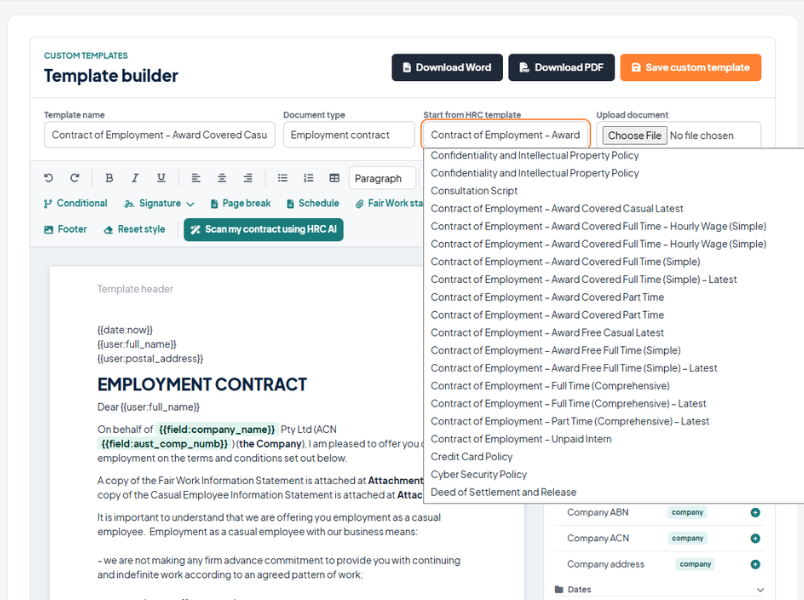
Upload your own document or start from a lawyer-drafted HR Command template.

HR manager reviewing a compliant employment contract built with HR Command's custom HR template builder
goodhands

Stop rewriting the same contract.

You already know the drill. Copy last year’s contract. Find and replace the name. Hope you did not miss a clause. Send it and wait.

The Custom Template Builder ends that. Build a document once, tell it how to behave, and every version after that is fast, consistent and compliant.

Feature

HR Command template builder auto drafting an employment contract with merge fields, Fair Work stamp and a full contract template library

Works like a word processor, thinks like a lawyer

Build documents the way you already write them. Bold, headings, lists, tables, the lot. No clunky form builder, no code.

Upload your own Word document, or start from an HR Command template drafted by Cowell Clarke.

Edit live on the page, exactly as it will look when it lands.

Clauses number themselves like Word, and renumber the second you add, move or remove one.

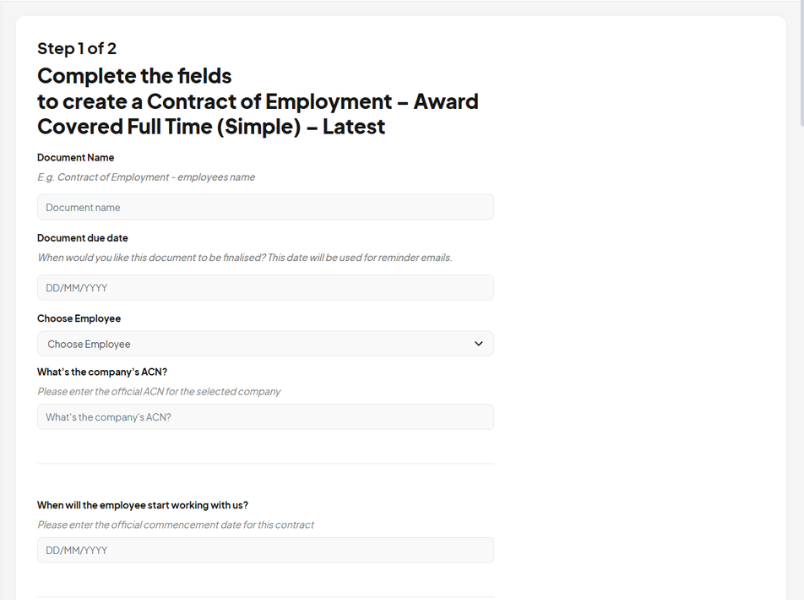
HR Command guided form automating an Award Covered Full Time employment contract — Step 1 of 2, fill fields to generate

Fill in the blanks, automatically

Add a field once and it pulls straight from your HR Command records. No more find and replace. No more typos in someone’s name.

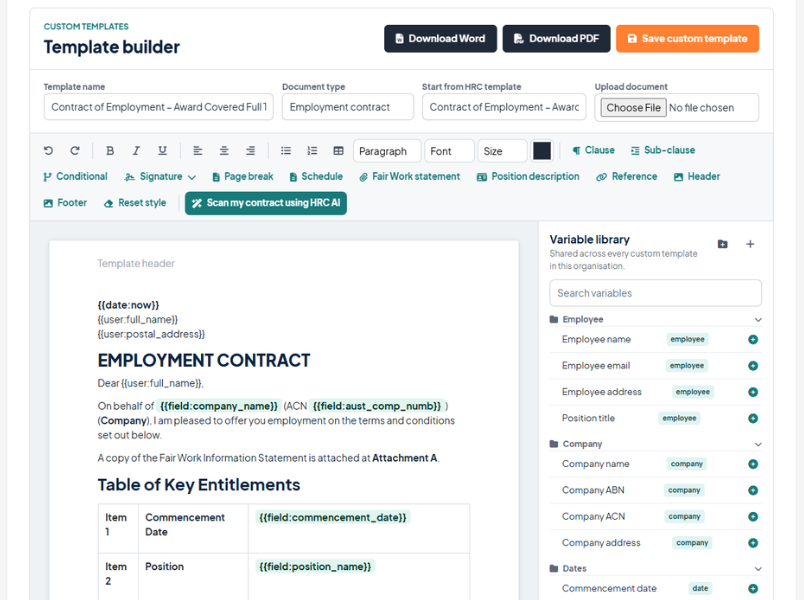
Standard HR Command fields are built in: employee details, company name, ABN and ACN, start dates, award and level.

Add unlimited custom fields for anything else, saved once and reused across every template.

Fields sit neatly inside the sentence, so the document still reads like it was written by a person.

HR Command template builder logic editor showing variable library and merge fields inside a Fair Work compliant employment contract template

Advanced conditional logic, in plain English

Set a rule once and the document builds itself around the answer. Casual or full time. Salary or hourly. Restraint or none. The right clauses appear, the wrong ones disappear, and the numbering keeps up.

Show or hide any clause based on a field, or a plain question you write yourself.

Combine rules with and or or for the tricky cases.

A hidden clause never leaves a gap. The clause after it simply takes its number

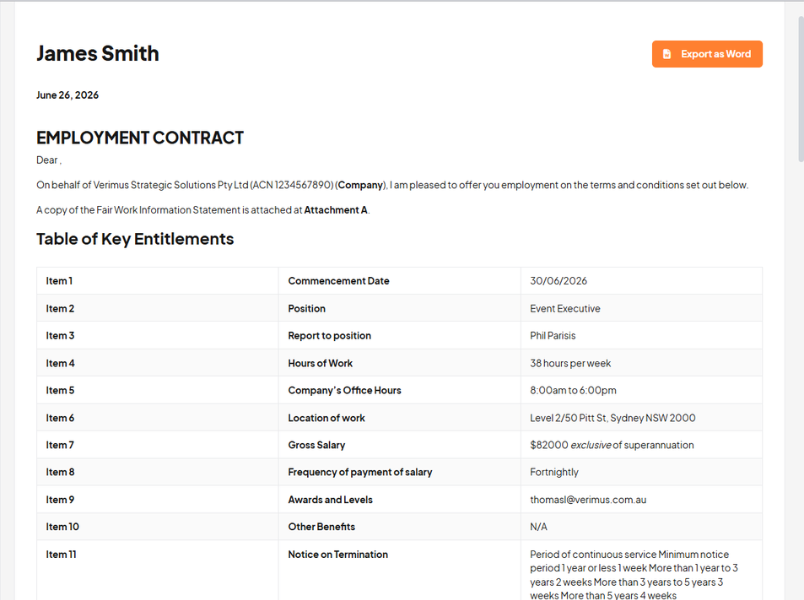
HR Command auto-calculated employment contract output showing key entitlements table with salary, hours, notice period and Fair Work details

Maths done for you

Stop reaching for the calculator. Chain fields together and let the template work it out.

Bonus, termination pay, loaded casual rates and more, calculated at the moment you send.

Superannuation handled properly, inclusive or on top.

Pay the right way for the role, salaried or hourly, every time.

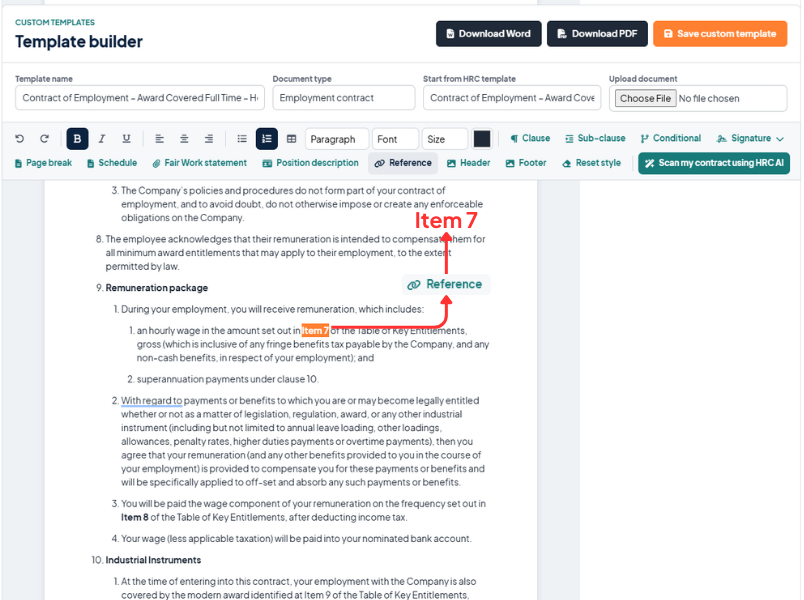
HR Command template builder cross referencing employment contract clauses — Item 7 remuneration linked dynamically to Key Entitlements table

References that move with your numbering

Write “see clause 7.2” and mean it. If that clause moves, is renumbered, or drops out, every reference to it updates on its own. No more pointing to the wrong place after an edit.

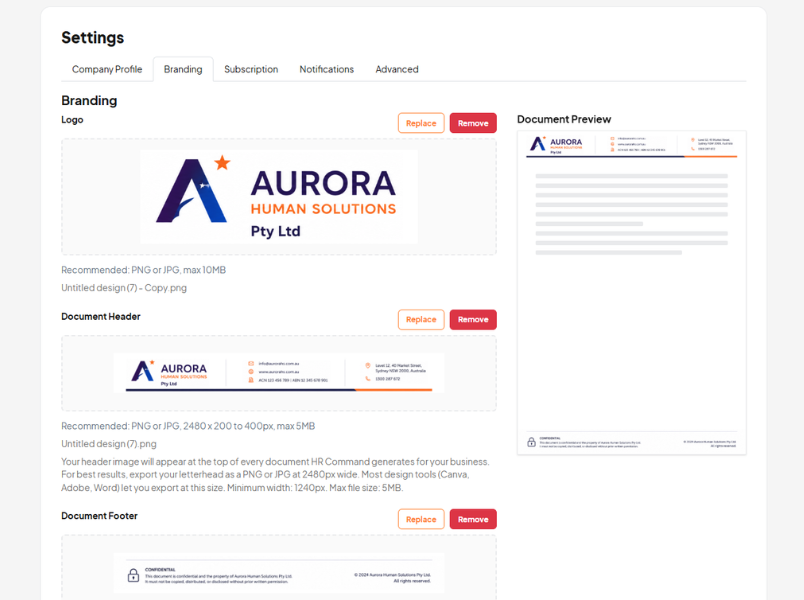
HR Command branding settings showing auto header and footer applied to employment contract templates with company logo and letterhead

Your brand on every page

This is your letterhead, not a logo bolted to the top. Add a full header and footer, size it, position it, or run it edge to edge like your printed stationery.

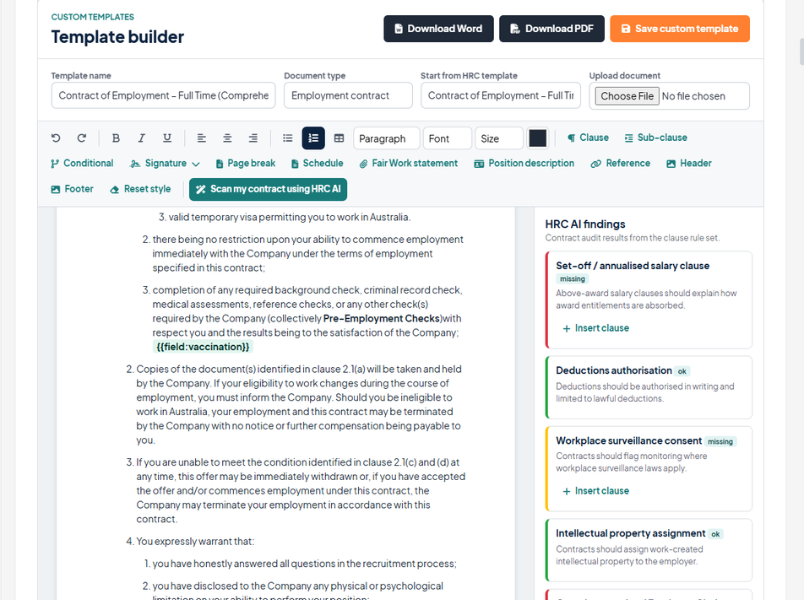
HR Command AI scan auditing an employment contract for compliance gaps — showing missing clauses and ok findings in the HRC AI findings panel

Drafted by lawyers, checked by AI

Start from templates written by Cowell Clarke employment lawyers. Then, on any contract, run a scan with HRC AI to catch what is missing before it goes out.

Flags gaps like set off, casual conversion under the Employee Choice Pathway, surveillance consent, deductions and IP.

Suggests the wording and drops it in with one click.

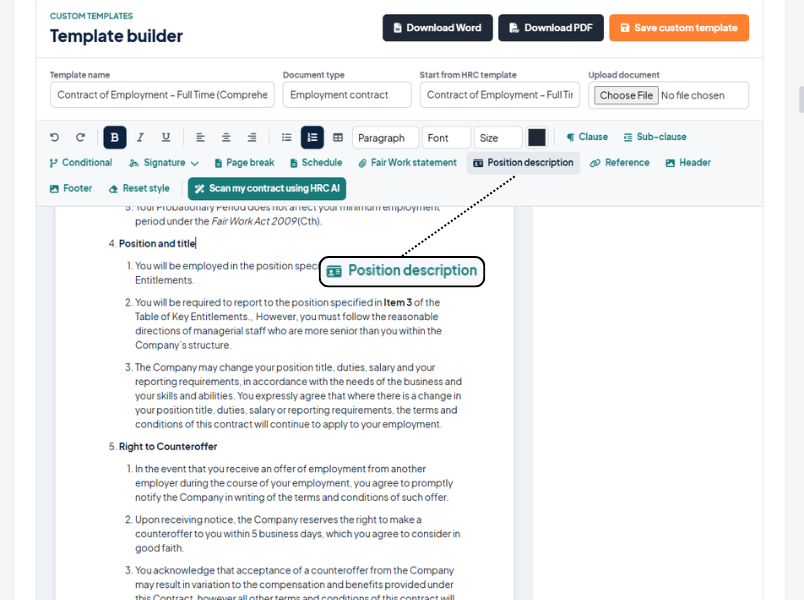
HR Command template builder showing position description drop-in clause being inserted into a Fair Work compliant employment contract template

Drop in the extras

The bits that round out a contract are one click away, pulled from what you already have in HR Command.

Add a Position Description straight from your HR Command library, attached as a schedule.

Attach the Fair Work Information Statement so every contract goes out complete.

Add schedule pages with their own headers for annexures and side letters.

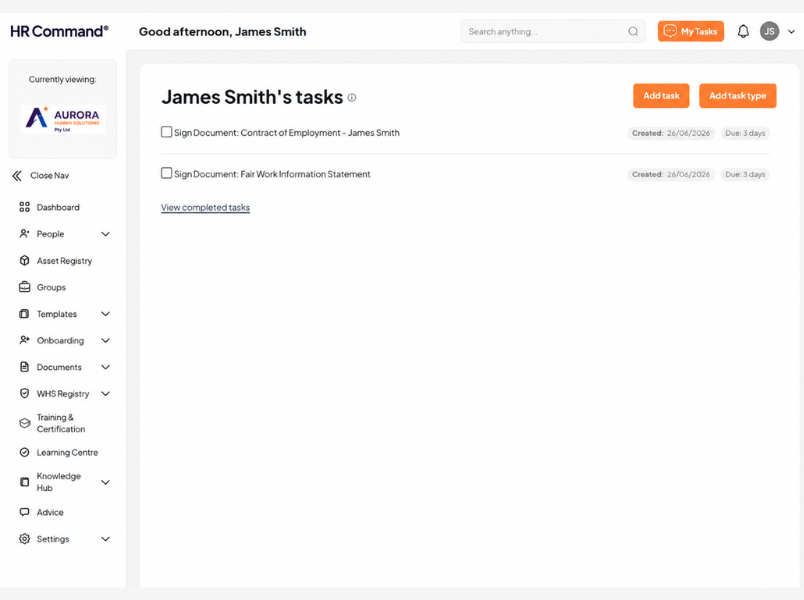
HR Command employee task dashboard showing eSignature requests for employment contract and Fair Work Information Statement with due dates

Send it your way

When it is ready, issue it digitally for online signing, or download a clean Word file. Signing dates stamp themselves on the day each person signs.

Use it on its own, or add it to a Collection and send a whole pack at once.

Multiple signatories, witnesses and dual signatures all supported.

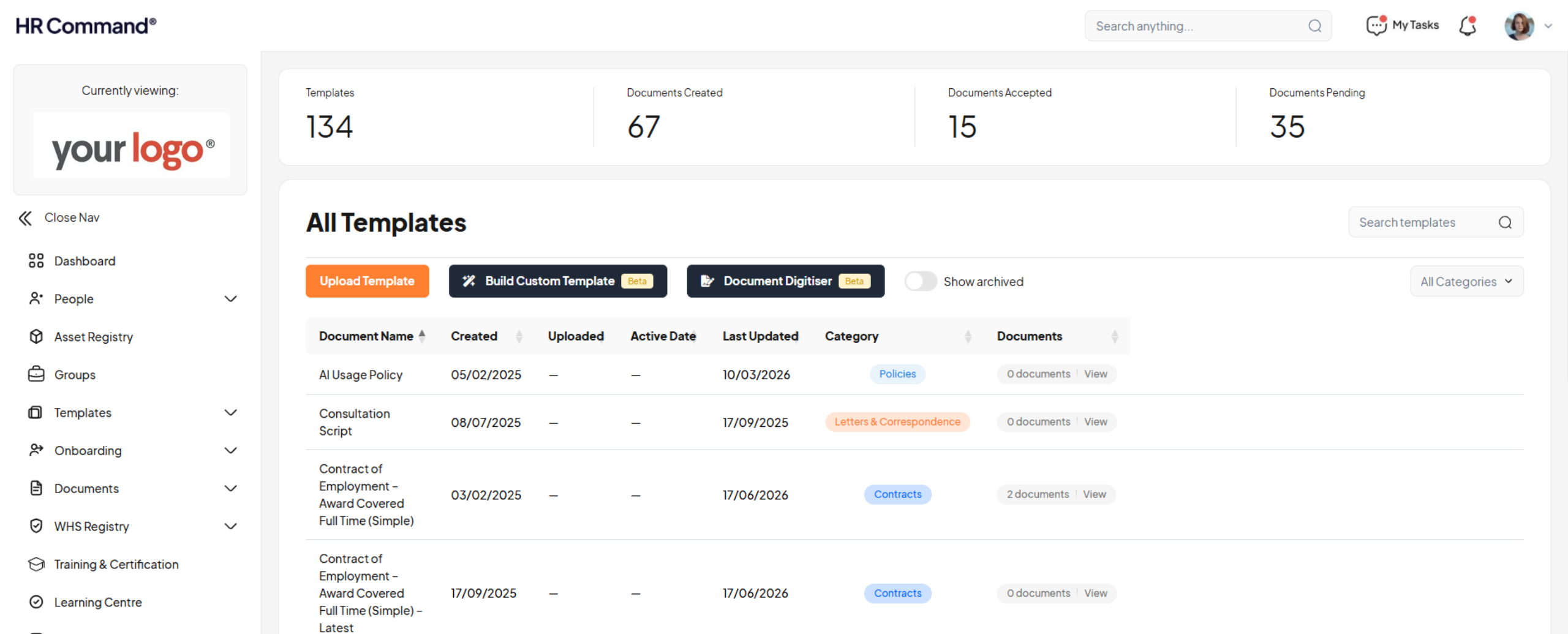
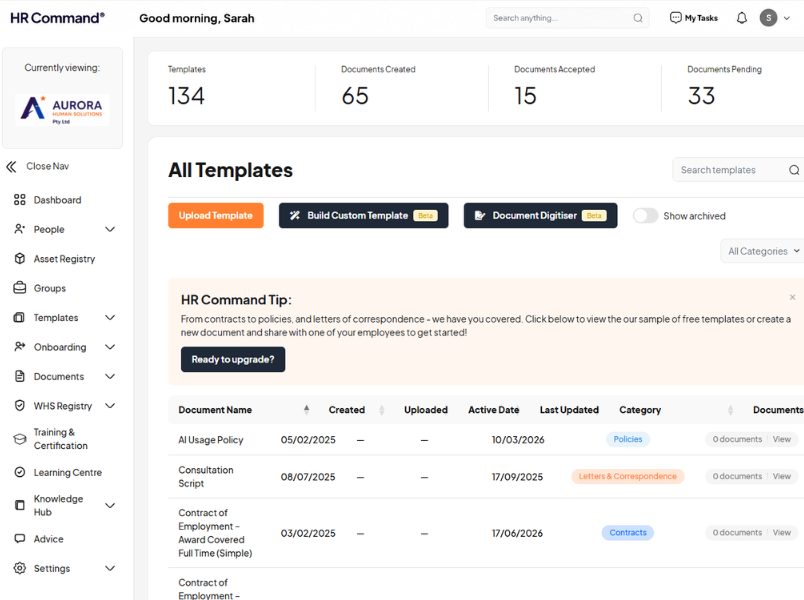
HR Command template management dashboard showing 134 HR templates including employment contracts, policies and letters organised by category

Set it and forget it

A custom template is a full member of HR Command, not a one off. Once it is saved, it works like every other template you have.

Saves into your HR Command Template area, ready for the team.

Triggers the same reminders as your built-in templates. Probation reviews and work anniversaries take care of themselves.

Every document you send is stored against the employee with a full record of what was used and why.

HR advisor and small business owner reviewing a Fair Work compliant employment contract template together at a desk

Everything in the box

✅ Advanced conditional logic, written in plain English
✅ Unlimited custom variables, saved and reused across every template
✅ Standard HR Command fields, auto-filled from your records
✅ Calculations that work out pay, bonuses and loadings for you
✅ Word-style clause numbering that reflows as you edit
✅ References that move with your numbering
✅ Position Descriptions added straight from HR Command
✅ Fair Work Information Statement attached automatically
✅ Your own header and footer, including full letterhead
✅ Lawyer-drafted wording, with an HRC AI contract check
✅ Online signing or a clean Word download
✅ Use it on its own or send it in a Collection

Why it beats a template pack or a basic editor

A folder of Word templates still leaves the thinking to you. A basic editor lets you type, but not much else. The Custom Template Builder does the part that actually takes time and gets people in trouble: choosing the right clauses, getting the figures right, keeping it compliant, and proving it later.

Build once, reuse everywhere. Your fields and clauses are shared across every template, not trapped in one.
Compliant by design. Lawyer-drafted wording, an AI contract check, and a defensible record of every send.
Australian to the core. Built for the Fair Work Act, modern awards and Australian employers, not bent to fit from overseas.
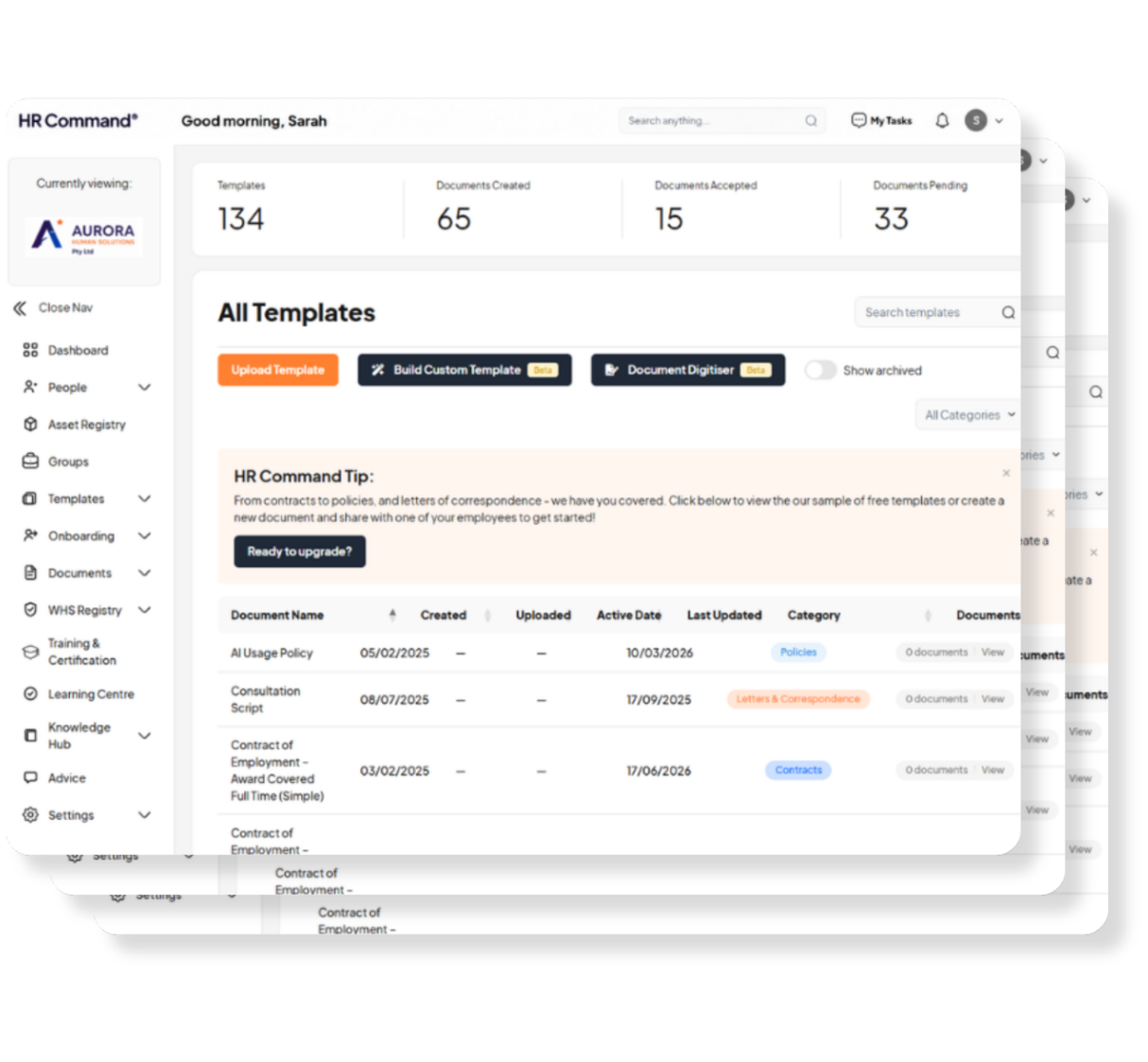

HR Command dashboard showing the custom HR template builder with employment contract templates, policies and document tracking
Confident HR manager holding a tablet in an office, using HR Command's custom HR template builder for compliant contracts

Who it is for

Never feel alone with employment challenges:

✅ Business owners who are tired of paying for a lawyer every time they hire.

✅ HR and office managers who send the same documents on repeat.

✅ Bookkeepers and advisers who set up contracts for clients.

✅ Anyone who needs the document right, fast, and on the record.

Frequently Asked Questions

Do I need legal knowledge to use it?

No. Start from a lawyer-drafted template, answer a few plain questions, and the document builds itself.

Can I use my own contract?

Yes. Upload your Word document and add the smarts on top. You can even scan it with HRC AI to find what is missing.

Will my templates stay compliant?

You start from lawyer-drafted wording maintained by Cowell Clarke, and every contract can be checked with HRC AI before it goes out. You stay in control, with a clear record of what was sent.

Can people sign online?

Yes. Send for digital signing, or download a Word version. Signing dates are recorded automatically.

Does it work with the rest of HR Command?

It is part of HR Command. Custom templates live in your Template area, can be sent in Collections, and trigger the same reminders as your built-in documents.

Is my data kept in Australia?

Yes, in line with HR Command's standard data handling.

Stop rewriting. Start sending.

See how fast a contract can go out when the template does the hard part.
Book a demo / Talk to our team