



Workflow Automation. HR That Runs Itself

Build a workflow once. The system runs it on schedule, every time, for every employee.

HR breaks in the gaps between people. A probation review slips by two weeks. A right-to-work check never gets filed. An onboarding step goes missing because the manager was on annual leave. Each one is small. Stacked across your workforce, they add up to a Fair Work problem you cannot see.

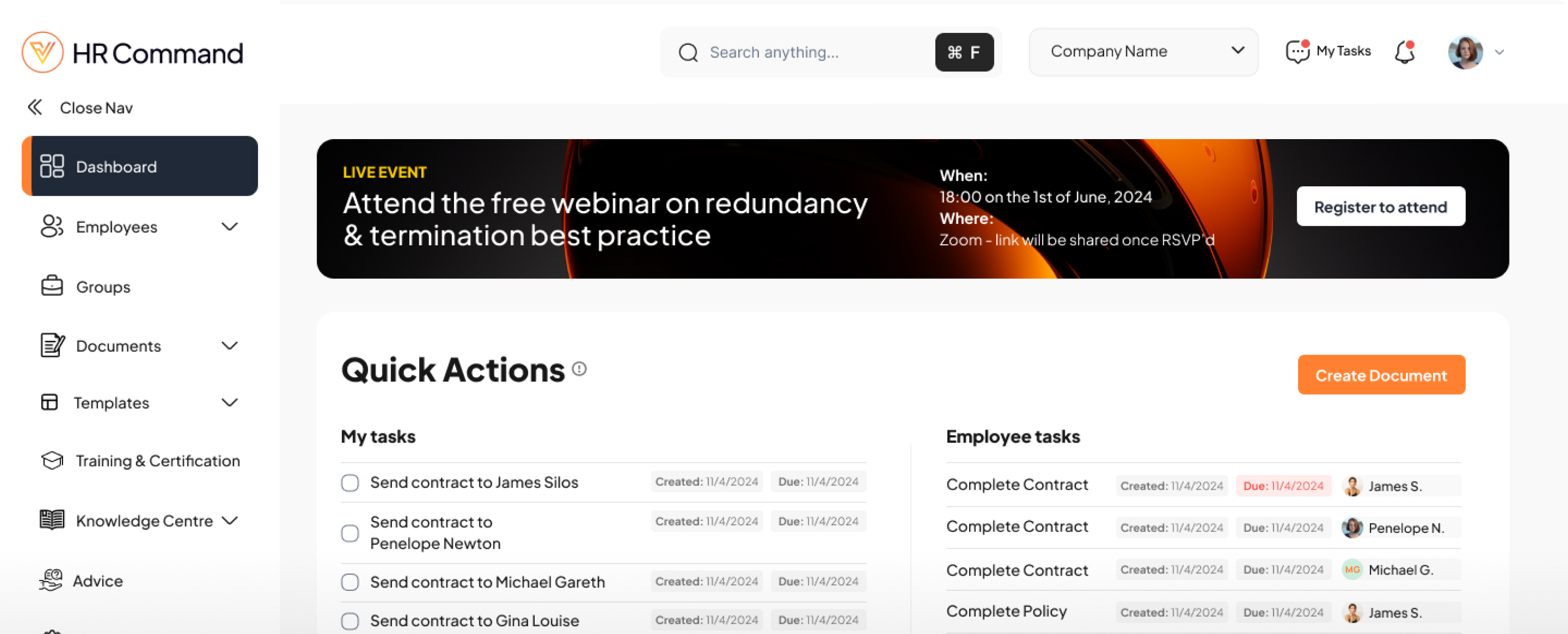
HR Command takes the repeatable parts off your plate. Build an onboarding workflow, a probation track, a contract renewal sequence, or a training expiry process. The system assigns the tasks, fires the reminders, and flags anything overdue before it becomes a problem.

You run best-practice processes across the whole business and trust they get followed.

Satisfied HR manager using HR Command to manage workflow automation, ensuring repetitive tasks and compliance checks run effortlessly in the background.
goodhands

How Can HR Workflow Automation Protect Your Business and Save You Time?

HR Command mobile notification showing a triggered task, illustrating seamless workflow automation across the employee lifecycle.

How It Works:

Build multi-step workflows with task assignments, deadlines, reminders, and conditional branches based on role, location, or employment type.

Trigger workflows from real events: new hire start date, probation milestone, contract anniversary, training expiry, parental leave return, or termination notice.

Assign different tasks to different actors in the same workflow. The new hire completes their paperwork. The manager runs the check-in. IT provisions the laptop. HR signs off compliance.

Run probation reviews on a structured cadence with 30, 60, and 90 day check-ins, automatic manager prompts, and a clear confirm-or-extend decision point.

Save any workflow as a reusable template, then deploy it across teams, sites, or business units without rebuilding from scratch.

Key Features:

Conditional task automation:
workflows branch on role, site, employment type, or custom fields, so a casual hire follows a different path to a salaried executive

Event-triggered workflows:
kick off automatically from dates, status changes, or system events with no manual start

Multi-actor task assignment:
a single workflow can route steps to the employee, manager, HR, IT, and finance, each with their own deadlines

Probation tracking:
pre-built milestone reminders at 30, 60, and 90 days, with confirmation prompts that force a decision rather than letting probation auto-confirm by neglect

Reusable templates:
clone any workflow in seconds, with overrides for site-specific policies or award conditions

Reminder logic:
escalation rules push overdue tasks up the chain, so a missed manager task notifies HR before it becomes a compliance gap

Notification controls:
users set their own preferences for email, in-app, and digest frequency
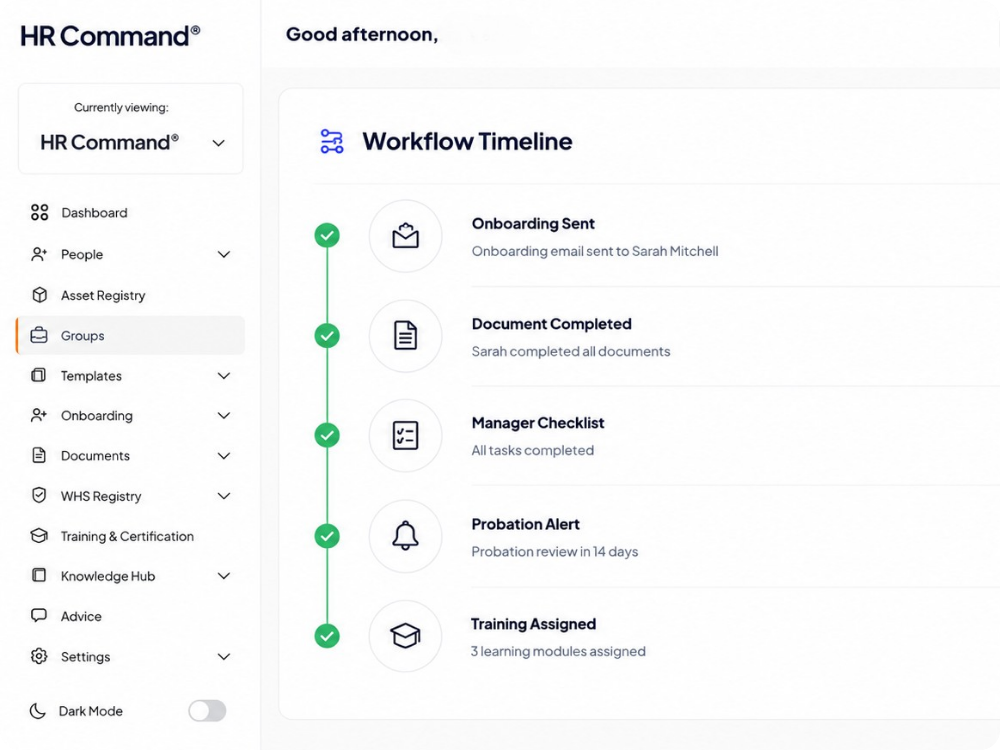
The HR Command platform interface showing a visual timeline of workflow automation, covering onboarding, task management, and probation alerts.

Backed by Cowell Clarke Commercial Lawyers

Rest assured that your documentation and advice is legally compliant, giving you peace of mind.

Founded over three decades ago, the multi-award-winning Cowell Clarke Commercial Lawyers set out to revolutionise the traditional, reactive approach of commercial law firms. The firm prides itself on delivering exceptional personal service with a proactive and global outlook.

With a strong national presence and an expanding team, Cowell Clarke’s commitment to innovation and client-centric solutions remains unwavering. The firm’s strategic partnership with HR Command further demonstrates its dedication to supporting Australian businesses with workplace relations through its extensive employment team.

FAQs

Frequently Asked Questions

How does HR workflow automation reduce compliance risks?

HR workflow automation reduces compliance risks by removing manual dependencies. Systems like HR Command ensure that critical actions, such as right-to-work checks, visa expiries, and contract renewals are triggered automatically based on dates. By setting up automated escalation rules, any missed task is flagged to management before it becomes a Fair Work or regulatory violation.

What is the best way to track employee probation periods?

The best way to track probation is through a structured 30, 60, and 90 day review cadence automated by HR software. Automation ensures that managers receive prompts to conduct check-ins and forces a "confirm-or-extend" decision. This prevents "auto confirmation by neglect," where an employee passes probation simply because a manager forgot to conduct a review.

How can I automate the employee onboarding process?

You can automate employee onboarding by building a multi step workflow that assigns tasks to different departments. In HR Command, a single trigger (like a start date) can notify IT to provision a laptop, Finance to set up payroll, and the Manager to schedule an induction. This ensures a consistent experience for every new hire without HR having to manually follow up with each department.

What are conditional HR workflows?

Conditional HR workflows are automated processes that "branch" or change based on specific data, such as a worker's role, location, or employment type. For example, a casual hire might follow a different onboarding path than a salaried executive. This ensures that employees only receive the relevant training, contracts, and tasks required for their specific position.

How do automated HR reminders work?

Automated HR reminders use event-based triggers to send notifications via email or in app alerts. If a task, like a safety induction or a policy sign-off, is not completed by the deadline, escalation logic kicks in. This automatically notifies a supervisor or HR administrator, ensuring that the workflow continues to move forward and gaps in the paper trail are closed.

HR Command:

Simplifying People Management and HR Compliance for Australian Businesses. Start your journey with us today and transform your HR management. Proudly serving small and medium-sized businesses across Australia.
Request a demo